The Complete Guide to Increasing Sales, Rankings, and Profitability
- Published by: Kamran
- Last Updated: October 2026
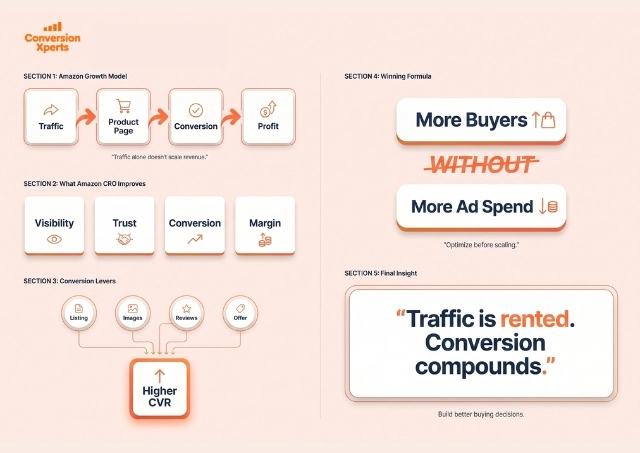
Amazon conversion rate optimization is one of the most effective strategies for growing sales on Amazon without increasing advertising costs. Many sellers focus only on driving traffic through Amazon PPC or external ads, but traffic alone does not guarantee success. If visitors do not convert into buyers, even the best traffic strategy will fail.
This guide explains how Amazon conversion rate optimization works, why it matters, and how to improve your conversion rate step by step using proven methods followed by top-ranking Amazon sellers and brands.
This article is written in easy English and optimized for SEO, AEO, featured snippets, and People Also Ask queries.
What Is Amazon Conversion Rate Optimization?
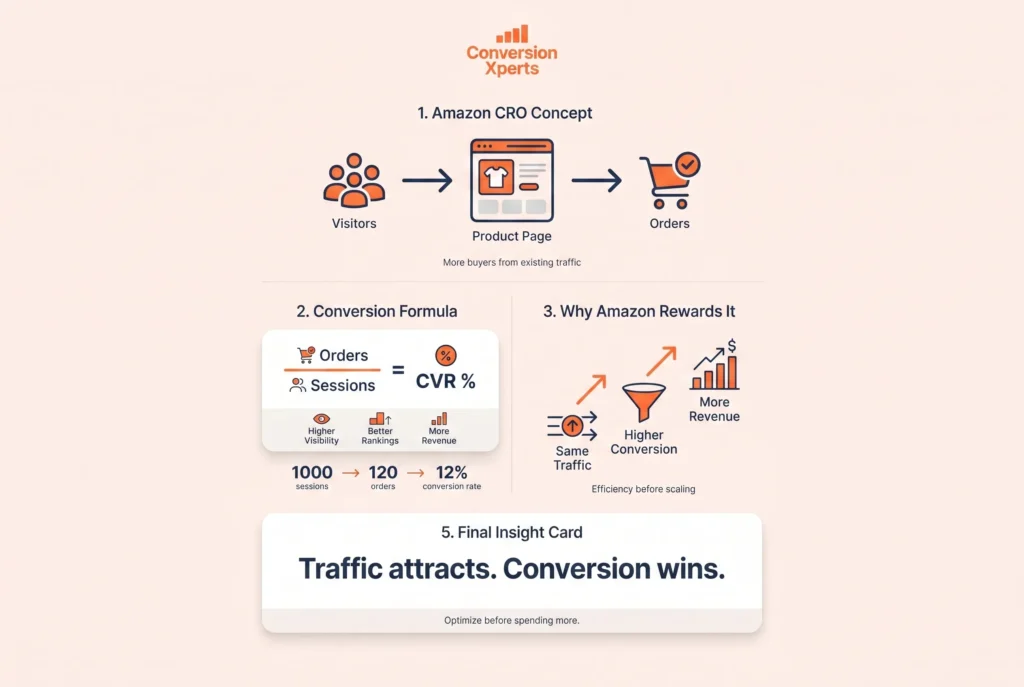
Amazon conversion rate optimization (CRO) is the process of improving your product listing so that a higher percentage of visitors complete a purchase.
Amazon calculates conversion rate using the following formula:
Conversion Rate = (Total Orders ÷ Total Sessions) × 100
For example, if your product receives 1,000 visits and generates 120 orders, your conversion rate is 12%.
Amazon closely tracks conversion rate because it helps the platform identify products that provide a better customer experience. Listings with higher conversion rates are rewarded with better visibility and rankings.
Why Amazon Conversion Rate Optimization Is Critical
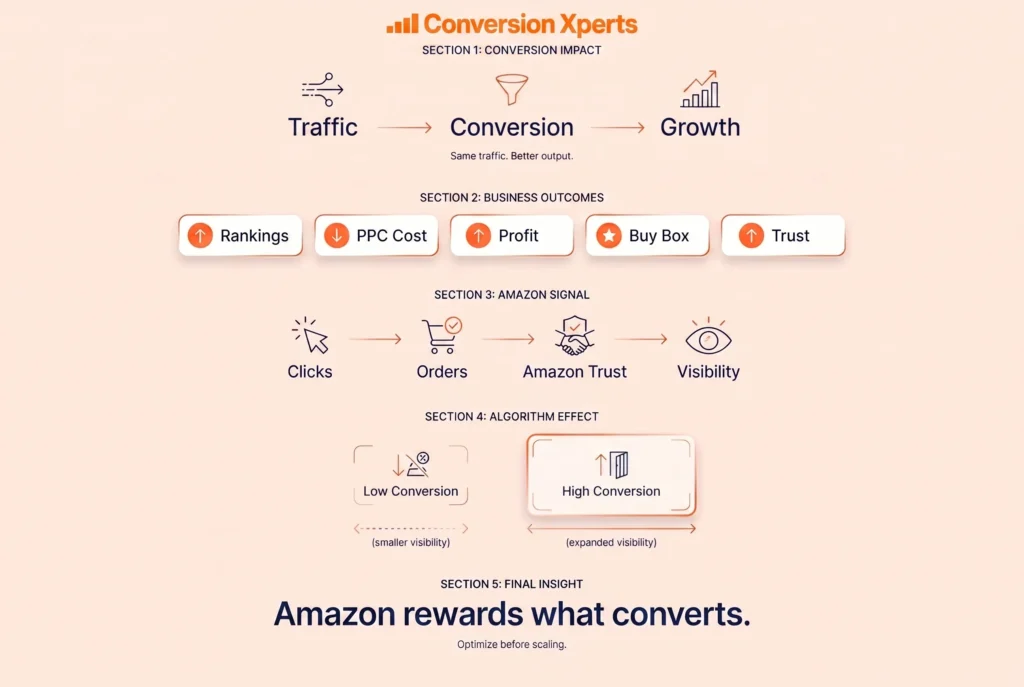
Amazon conversion rate optimization directly impacts multiple parts of your business.
A higher conversion rate helps you:
- Improve organic keyword rankings
- Reduce Amazon PPC costs
- Increase profit without more traffic
- Win the Buy Box more often
- Build long-term brand trust
Amazon’s A9 and A10 algorithms favor listings that convert well. When more users buy your product after clicking on it, Amazon sees your listing as relevant and trustworthy.
What Is a Good Amazon Conversion Rate?
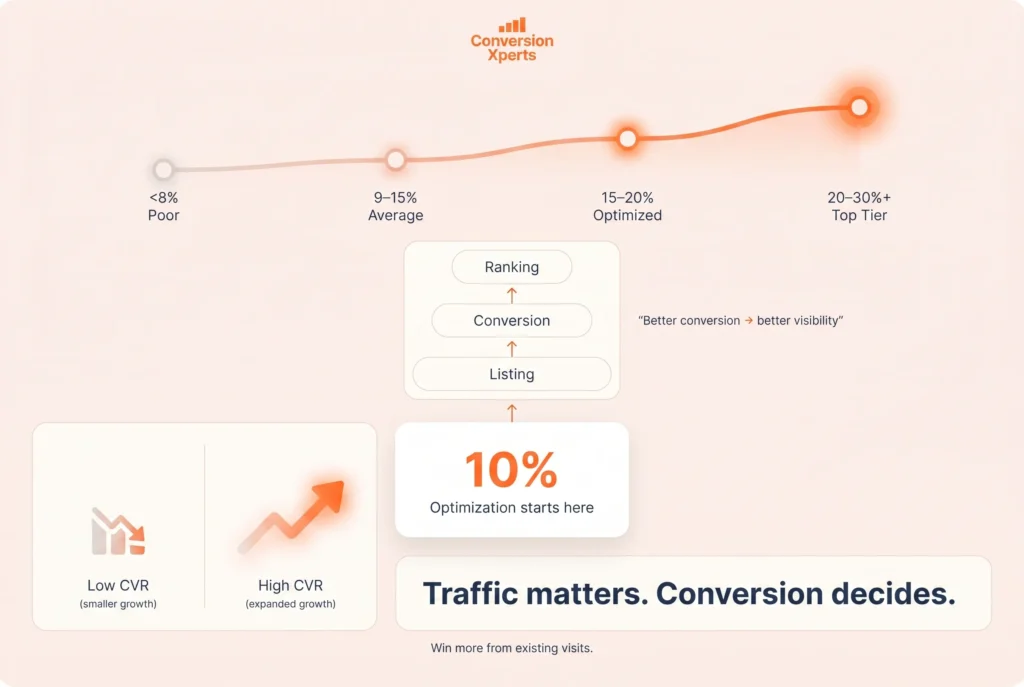
Amazon conversion rates vary by category, price, and brand strength.
General benchmarks include:
- Below 8%: Poor performance
- 9% to 15%: Average Amazon sellers
- 15% to 20%: Well-optimized listings
- 20% to 30%+: Top brands and category leaders
If your conversion rate is below 10%, your listing needs optimization.
How Amazon’s Algorithm Uses Conversion Rate
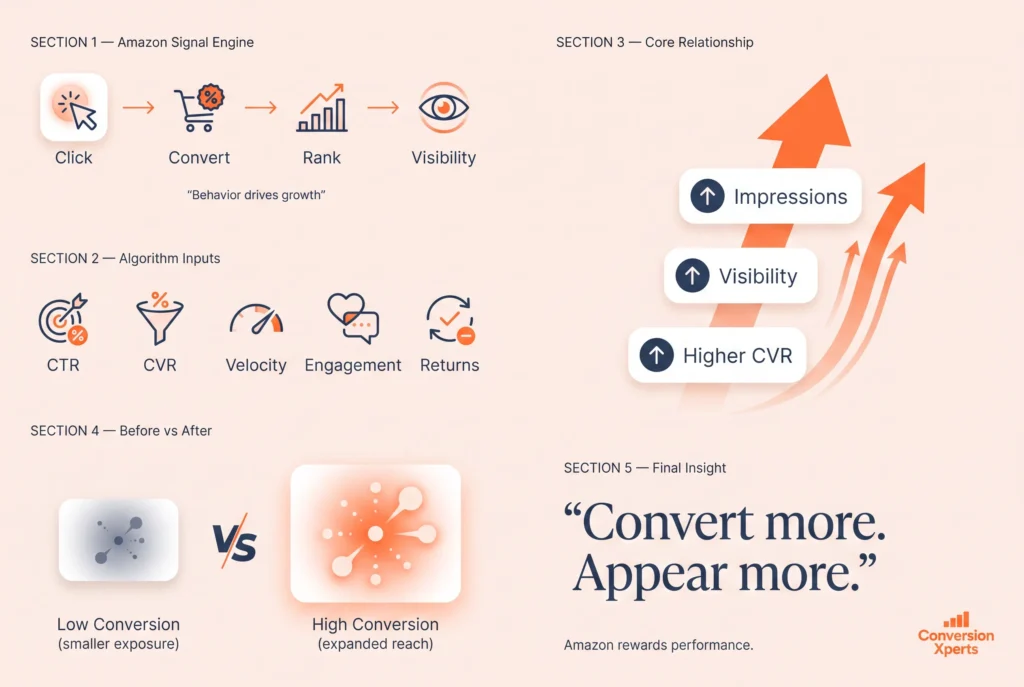
Amazon’s algorithm is behavior-driven. Conversion rate is one of the strongest performance signals.
Amazon evaluates:
- Click-through rate
- Conversion rate
- Sales velocity
- Customer engagement
- Return and refund rate
When your conversion rate improves, Amazon increases your product’s visibility. This leads to higher rankings, more impressions, and better ad placement.
Core Elements That Impact Amazon Conversion Rate
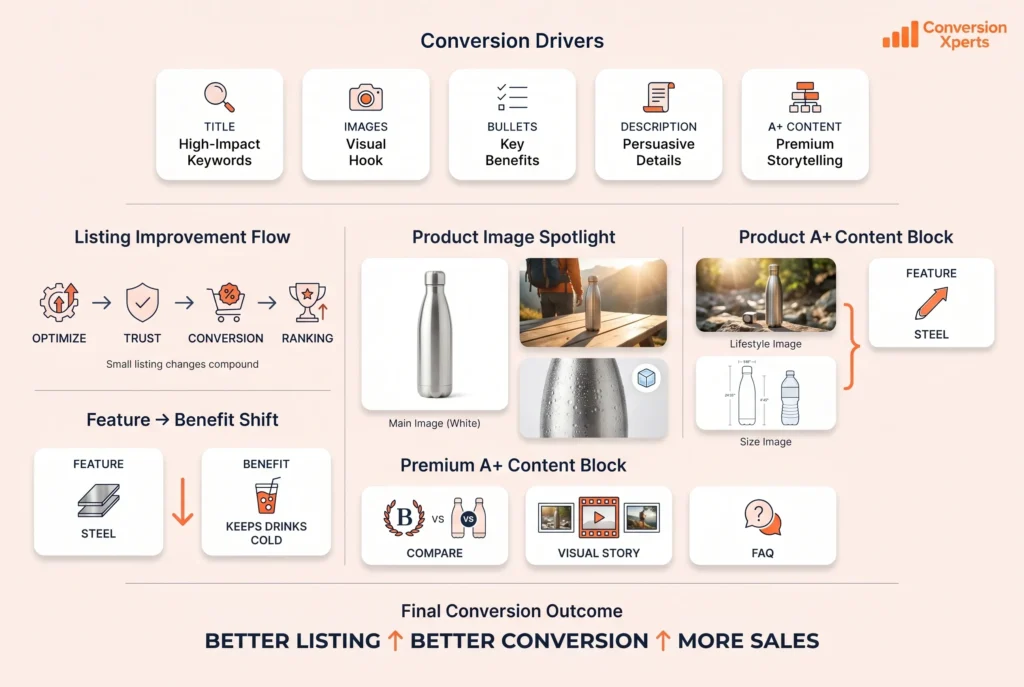
Top-ranking competitors consistently optimize the following areas.
1. Amazon Product Title Optimization
Your product title affects both ranking and conversion.
Best Practices for Amazon Titles
- Place the main keyword near the beginning
- Clearly explain what the product is
- Highlight one strong benefit
- Avoid keyword stuffing
- Follow Amazon character limits
Example of a High-Converting Title
Stainless Steel Water Bottle – Leak Proof, BPA Free, 1L for Gym, Office, Travel, and Hiking
This title clearly explains the product and its use cases while remaining readable and conversion-focused.
2. Amazon Product Image Optimization
Images are the most important conversion factor on Amazon. Many buyers decide whether to buy based on images alone.
Image Optimization Best Practices
- Main image on a pure white background
- High resolution (2000 × 2000 pixels or higher)
- Use all image slots
- Include lifestyle images
- Add infographics with benefits
- Show size comparisons
- Display packaging and accessories
Top competitors usually use 7 to 9 images to answer buyer questions visually.
3. Bullet Point Optimization for Higher Conversions
Bullet points should focus on benefits, not just features.
Feature vs Benefit Example
Feature:
- Made from stainless steel
Benefit:
- Durable stainless steel keeps drinks cold for 24 hours and hot for 12 hours
Bullet Point Best Practices
- Focus on customer pain points
- Use simple, clear language
- Keep sentences short
- Place the strongest benefit first
- Avoid technical jargon
High-Converting Bullet Structure
- Bullet 1: Main benefit
- Bullet 2: Quality or durability
- Bullet 3: Ease of use
- Bullet 4: Use cases
- Bullet 5: Trust or guarantee
4. Product Description Optimization
The product description supports conversions for buyers who want more detail.
Best Practices
- Use short paragraphs
- Add headings when possible
- Explain benefits clearly
- Address objections
- Avoid keyword stuffing
Clear formatting is especially important for mobile users.
5. A+ Content and Enhanced Brand Content Optimization
A+ Content significantly improves conversion rate by visually explaining value.
Benefits of A+ Content
- Increases conversion rate by 5% to 15%
- Reduces returns
- Builds brand authority
- Improves customer understanding
What Top Competitors Include
- Brand story
- Feature breakdowns
- Product comparison charts
- Lifestyle visuals
- FAQ-style sections
Using question-based headings improves AEO performance.
6. Amazon Pricing Strategy and Conversion Rate
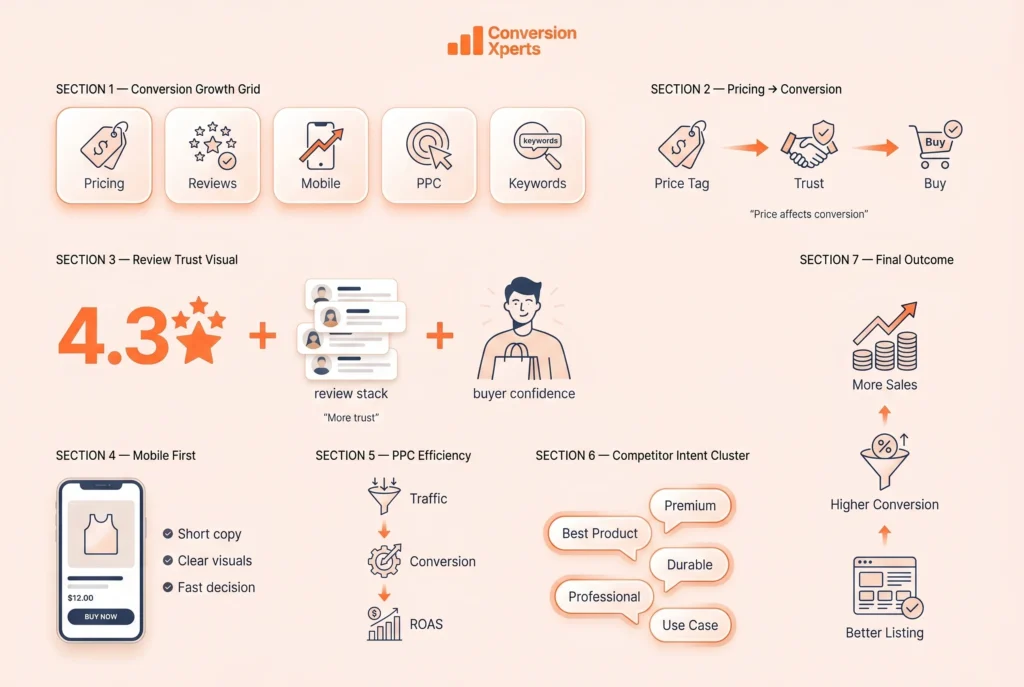
Price strongly influences buyer decisions, especially in competitive categories.
Pricing Optimization Strategies
- Analyze top competitors
- Avoid overpricing without justification
- Use psychological pricing
- Offer coupons and limited-time deals
- Maintain Buy Box eligibility
Competitive pricing improves both conversion rate and rankings.
7. Reviews and Ratings Optimization
Reviews are a major trust signal on Amazon.
How Reviews Affect Conversion Rate
- Products with 4.3+ star ratings convert better
- Higher review counts reduce hesitation
- Reviews improve SEO and PPC performance
Ethical Ways to Increase Reviews
- Deliver high-quality products
- Use Amazon-approved follow-up emails
- Improve packaging and instructions
- Respond professionally to negative reviews
8. Mobile Optimization for Amazon Listings
More than 60% of Amazon traffic comes from mobile devices.
Mobile Optimization Tips
- Short bullet points
- Clear image text
- Readable font sizes in images
- Highlight benefits early
- Avoid large text blocks
Mobile-friendly listings convert better overall.
9. Amazon PPC and Conversion Rate Optimization
Amazon PPC drives traffic, but conversion rate determines profitability.
Why Conversion Rate Matters for PPC
- Lower cost per click
- Higher ad relevance
- Better return on ad spend
- Improved campaign stability
Always optimize your listing before scaling ads.
10. Competitor Keyword Analysis for CRO
Top competitors target both SEO and buyer-intent keywords.
Common Competitor Keywords
- Best [product name]
- [Product name] for [use case]
- Durable [product name]
- Premium [product name]
- Professional [product name]
Use these naturally in titles, bullets, descriptions, and backend terms.
Amazon Conversion Rate Optimization Checklist
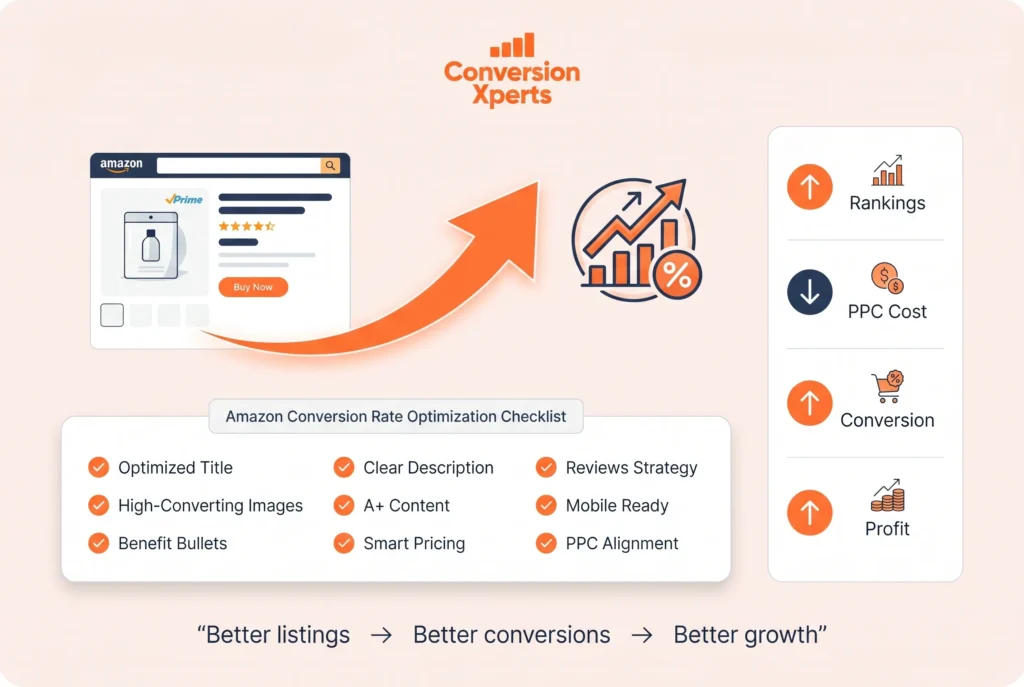
- Optimized title with main keyword
- High-quality images with infographics
- Benefit-focused bullet points
- Clear product description
- A+ Content added
- Competitive pricing strategy
- Strong review management
- Mobile-friendly layout
- PPC aligned with listing quality
What is Amazon conversion rate optimization?
Amazon conversion rate optimization is the process of improving product listings to convert more visitors into buyers.
What is a good conversion rate on Amazon?
A good conversion rate is between 15% and 20%. Top sellers often exceed 25%.
How can I increase my Amazon conversion rate quickly?
Improve product images, rewrite bullet points for benefits, optimize pricing, and add A+ Content.
Does conversion rate affect Amazon ranking?
Yes, Higher conversion rates improve organic rankings and reduce PPC costs.
Amazon conversion rate optimization is essential for long-term success. Traffic alone does not create profit. Optimized listings do.
By improving titles, images, bullet points, descriptions, pricing, reviews, and A+ Content, sellers can significantly increase sales without increasing ad spend.
The most successful Amazon sellers continuously test and improve their listings. By following the strategies in this guide, you can improve conversions, increase rankings, and build a sustainable Amazon business.
Data-Driven Amazon CRO: Star Ratings, Buy Box, and PPC Diagnostics
Most Amazon CRO advice stops at listing basics. This section covers the data-driven layers that separate average sellers from category leaders: how star ratings quantitatively impact conversion, why the Buy Box is a conversion gatekeeper, and how to use PPC data to diagnose exactly what is wrong with your listing.
Star Rating Impact on Conversion Rate
Star ratings are the single most visible trust signal on Amazon. The conversion impact is not linear — small rating differences create outsized conversion gaps:
| Star Rating | Conversion Impact vs. Category Average |
|---|---|
| Below 3.5 stars | 40–60% suppressed — most buyers filter these out entirely |
| 3.5–3.9 stars | 15–25% below average — recoverable with review strategy |
| 4.0–4.3 stars | Around category average — the minimum viable threshold |
| 4.4–4.7 stars | 10–20% above average — the competitive sweet spot |
| 4.8+ stars | 25–40% above average — but difficult to sustain at scale |
The practical takeaway: moving from 3.8 to 4.4 stars can lift conversion more than any title or image tweak. Prioritize review generation and product quality fixes before cosmetic listing changes.
The Buy Box: The Conversion Gatekeeper
On Amazon, you do not automatically get the sale even when a buyer clicks your listing — you must win the Buy Box. If another seller holds the Buy Box on your ASIN, your conversion rate effectively drops to zero for those sessions regardless of how good your listing is. Monitor your Buy Box win percentage in Seller Central daily. Common causes of Buy Box loss include uncompetitive pricing, poor seller metrics (late shipment rate, order defect rate), and stock outages. Fix eligibility issues before investing in traffic — sending PPC clicks to a listing without the Buy Box is burning money.
PPC Diagnostic Patterns: Let the Data Tell You What Is Broken
Your Amazon PPC data is a diagnostic tool for your listing. Two patterns reveal exactly where the problem lies:
- High CTR (above 0.35%) but low conversion rate: Your ads and main image are working — people click — but the listing fails to close the sale. The problem is on the product page: weak bullet points, insufficient reviews, unclear pricing value, or missing A+ Content. Fix the listing before increasing ad spend.
- Low CTR (below 0.20%) with decent conversion rate: Your listing converts the few visitors it gets, but your ads are not attracting clicks. The problem is upstream: weak main image, uncompelling title, or poor keyword targeting. Test new main images and refine your keyword intent segmentation — separate exact-match buyer-intent keywords from broad discovery terms.
Always check the CVR/ACoS/rank relationship together: a rising conversion rate should lower your ACoS (same ad spend produces more orders) and lift organic rank (Amazon rewards converting listings with visibility). If conversion rises but rank does not follow within 2–3 weeks, check for Buy Box suppression or category-level demand shifts.
Where to Find Your Conversion Data in Seller Central
Navigate to Business Reports → Detail Page Sales and Traffic. The key column is Unit Session Percentage — this is Amazon’s term for conversion rate (units ordered divided by sessions). Segment by ASIN and by date range to spot trends. Compare your Unit Session Percentage against the category benchmarks in this guide: below 8% needs urgent work, 9–15% is average, and above 15% means your listing is competitive. Review this report weekly — conversion rate moves before rank does, making it your earliest warning system.
Avoiding Pitfalls and Measuring Amazon CRO Success
Beyond listing optimization and data diagnostics, sustainable Amazon growth depends on avoiding common strategic mistakes and measuring the right metrics the right way. This section covers the pitfalls that quietly sabotage conversion rates and the framework for building a repeatable improvement process.
Common Mistakes That Quietly Sabotage Conversion Rate
Many sellers unknowingly suppress their own conversion rates with these avoidable errors:
- Changing too many variables at once: When you update the title, images, price, and bullet points simultaneously, you cannot tell which change moved the needle. Change one element at a time and measure for at least 7–14 days before judging results.
- Ignoring mobile preview: With over 60% of Amazon traffic on mobile, a listing that looks good on desktop but has unreadable image text or walls of text on mobile will underperform. Always check your listing on the Amazon mobile app after every change.
- Chasing traffic before fixing conversion: Scaling PPC or external traffic to a listing with a sub-10% conversion rate wastes budget. Fix the listing first, then scale traffic — every point of conversion rate improvement makes all your traffic more profitable.
- Neglecting the back end: Backend search terms, subject matter fields, and intended-use attributes influence discoverability. Empty backend fields mean missed ranking opportunities for relevant long-tail queries.
- Set-and-forget pricing: Competitors reprice dynamically. A listing that was competitively priced three months ago may now be overpriced, silently eroding conversion. Review pricing against the Buy Box and top competitors weekly.
Measuring Success the Right Way
Accurate measurement separates sellers who improve from sellers who guess:
- Separate organic conversion from advertising conversion: In Business Reports, distinguish sessions and orders from organic search versus Sponsored Products. A listing can have strong organic conversion (12%+) but weak ad conversion (5%) if PPC targets overly broad keywords — the fix is keyword refinement, not listing changes.
- Resist judging on a single day: Daily conversion rates fluctuate with day-of-week patterns, paydays, and competitor promotions. Use 7-day and 30-day rolling averages for decisions. A single bad day is noise; a two-week declining trend is signal.
- Track Unit Session Percentage by ASIN, not just account-wide: Account-level conversion masks winners and losers. The ASIN-level view in Detail Page Sales and Traffic reveals which products need attention and which are carrying the account.
- Connect conversion to profitability: A 20% conversion rate on a product with negative margins after ad spend is not success. Always pair conversion metrics with contribution margin per session to ensure growth is profitable.
Building a Repeatable Conversion Improvement Process
Top Amazon sellers treat CRO as a system, not a one-time project:
- Audit monthly: Review Unit Session Percentage, star rating trends, Buy Box win rate, and pricing position for every active ASIN on the first Monday of each month.
- Prioritize by impact: Rank opportunities by (traffic × conversion gap × margin). Fix high-traffic, low-converting, high-margin ASINs first — they deliver the largest revenue lift per hour of work.
- Test one change at a time: Use Amazon’s Manage Your Experiments (A/B testing for Brand Registered sellers) for titles, images, and A+ Content. For non-brand-registered sellers, run sequential before/after tests with 14-day measurement windows.
- Document everything: Keep a simple log of what changed, when, and the conversion impact. Over time this becomes your playbook — you will know exactly which levers move conversion in your category.
- Reinvest wins: When conversion improves, the same ad budget produces more orders at lower ACoS. Reinvest the savings into testing the next improvement rather than pocketing it — compounding gains separate category leaders from everyone else.
Kamran Mushtaq is a CRO specialist and founder of ConversionXperts. For nearly a decade he's helped ecommerce, SaaS, B2B, and lead-gen brands grow revenue from traffic they already have - 300+ audits and thousands of A/B tests, every call backed by data.