How to Increase Conversion Rate on Your Shopify Store: The Ultimate 2026 Guide
What Is a Shopify Conversion Rate and How Do You Calculate It
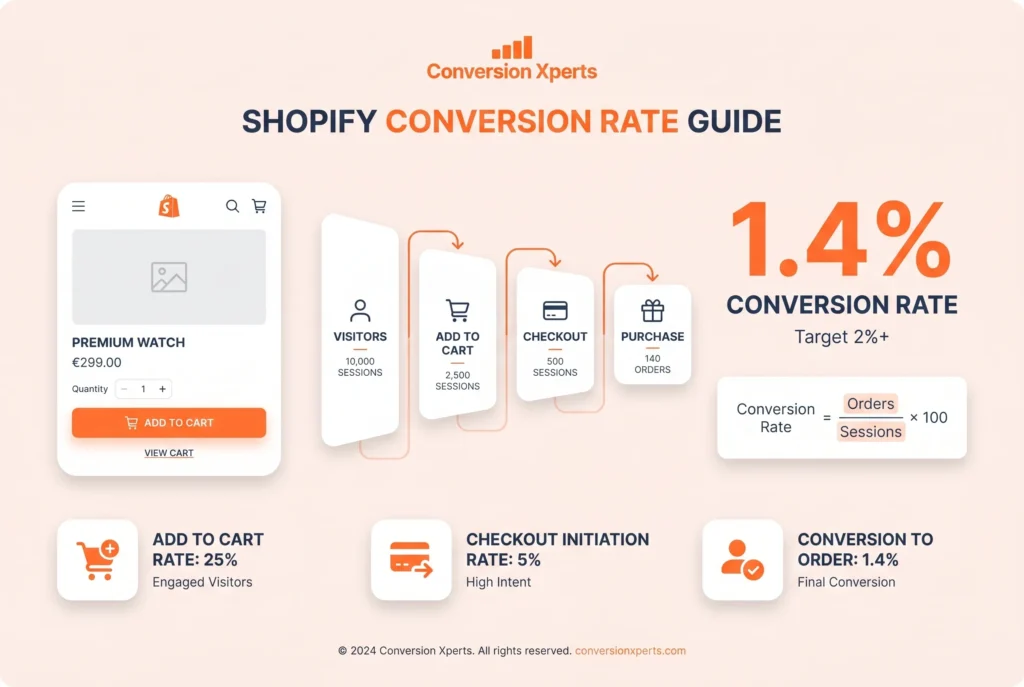
Your Shopify conversion rate is the percentage of store visitors who complete a purchase during a given session. It is one of the most important numbers in your entire business because it tells you directly how well your store turns interest into income.
Shopify calculates it using this formula:
Conversion Rate = (Number of Orders / Number of Sessions) x 100
So if your store receives 5,000 sessions in a month and generates 70 orders, your conversion rate is 1.4%.
You can find this number directly inside your Shopify Analytics dashboard without needing any third-party tool. Shopify uses session-based tracking, meaning if a single visitor comes to your store three times in one day, that counts as three separate sessions. Conversions are also attributed to the session in which the purchase was completed, not the session where the visitor first discovered your store.
This detail matters because it affects how you read your data. A visitor might browse on Monday and buy on Friday. That Friday session gets the conversion credit.
Beyond purchase conversions, smart store owners also track micro-conversions such as add-to-cart rate, checkout initiation rate, email newsletter signups, and account creation rate. Together, these numbers paint a full picture of where your funnel leaks.
What Is a Good Conversion Rate for a Shopify Store
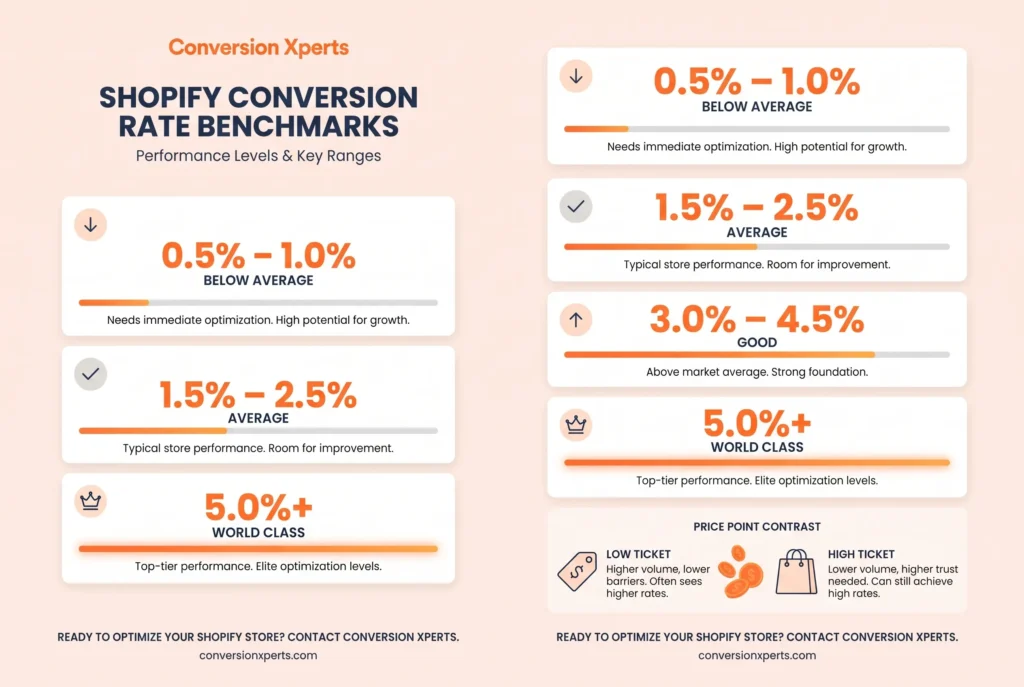
A good Shopify store conversion rate is between 2% and 4%, but context matters enormously here.
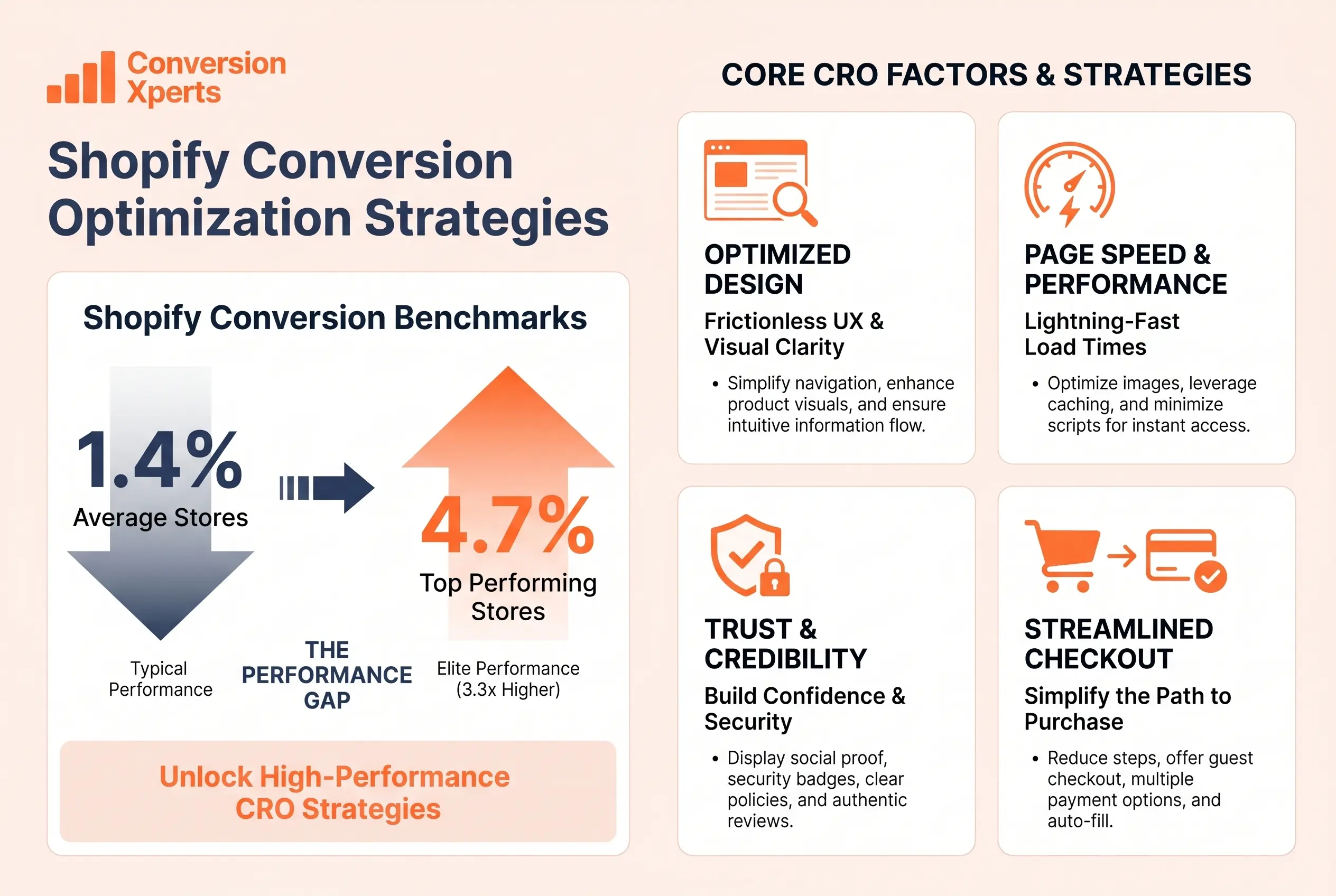
According to industry data from 2025, the average ecommerce conversion rate globally sits between 1.6% and 2.95% depending on the source and methodology. Shopify-specific data places the average at around 1.4%, while top-performing stores consistently achieve 3.3% and above, which puts them in the top 20% of all Shopify merchants worldwide.
Here is a comparison of what different conversion rate levels mean for your store:
| Conversion Rate | Store Performance Level | What It Means |
| Below 0.5% | Critical | Major UX, trust, or traffic quality issues |
| 0.5% to 1.4% | Below Average | Room for significant improvement |
| 1.4% to 2.5% | Average | On par with most Shopify stores |
| 2.5% to 3.3% | Good | Better than most competitors |
| 3.3% and above | Excellent | Top 20% of all Shopify stores globally |
| 5% and above | World Class | Usually subscription or niche brands |
There is one critical nuance: do not compare your conversion rate to a global average blindly. A store selling handmade furniture at PKR 50,000 per piece will naturally convert at a lower rate than a store selling phone cases at PKR 500. High-ticket, considered purchases take longer to decide and convert less frequently. Budget-friendly, impulse-buy products convert faster.
The most important benchmark you have is your own. Set your baseline today, then use the tactics in this guide to beat it month over month.
Why Your Shopify Store Conversion Rate Is Low
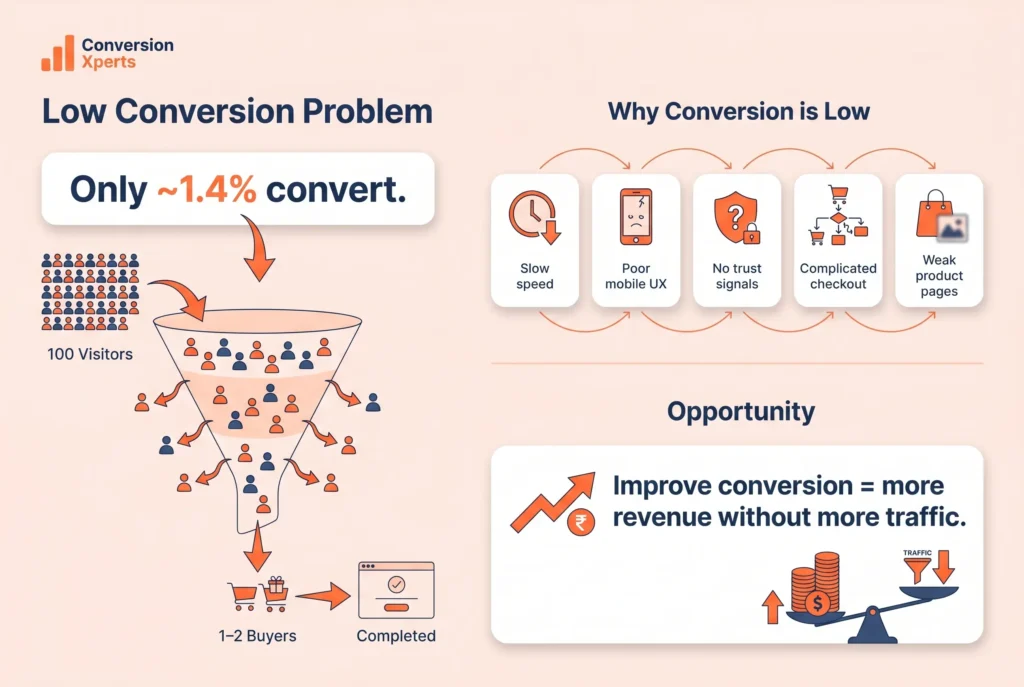
Before you fix your conversion rate, you need to understand why it is struggling in the first place. Most Shopify store owners immediately jump to adding new apps or redesigning their homepage, but the real culprits are often more structural.
Slow Page Speed
A site that loads in one second converts three times better than one that takes five seconds, according to research cited by performance experts. Every extra second of load time costs you real sales. Heavy, uncompressed images, too many third-party apps, and bloated themes are the top offenders on Shopify stores globally.
Poor Mobile Experience
As of Q3 2025, smartphones accounted for roughly 78% of retail site visits worldwide and generated around 70% of all online shopping orders, according to Statista. If your Shopify store works beautifully on desktop but feels clunky on a phone, you are already losing the majority of your potential buyers before they even see your product.
Lack of Trust Signals
Online shoppers cannot touch, smell, or try your product. They rely entirely on the cues your store sends to decide whether you are legitimate. No reviews, no SSL certificate, no clear return policy, and no recognizable payment methods all send the wrong message.
Complicated Checkout
Every extra step, form field, or unexpected cost you add to your checkout process bleeds conversions. Research consistently shows that cart abandonment happens most frequently at the payment page when customers face surprise shipping fees or a long, confusing checkout flow.
Wrong Traffic
Sometimes the conversion problem is not your store at all. It is the audience you are sending to it. If your ads target the wrong demographics or your SEO attracts informational searchers who were never going to buy, your conversion rate will suffer regardless of how good your store looks.
Weak Product Pages
Vague descriptions, low-quality images, and no social proof on your product pages leave buyers without the information they need to feel confident. A product page is your digital salesperson. If it cannot answer every question a customer might have, they will leave and buy from a competitor who can.
How to Increase Conversion Rate on Shopify: Site Speed and Mobile Experience
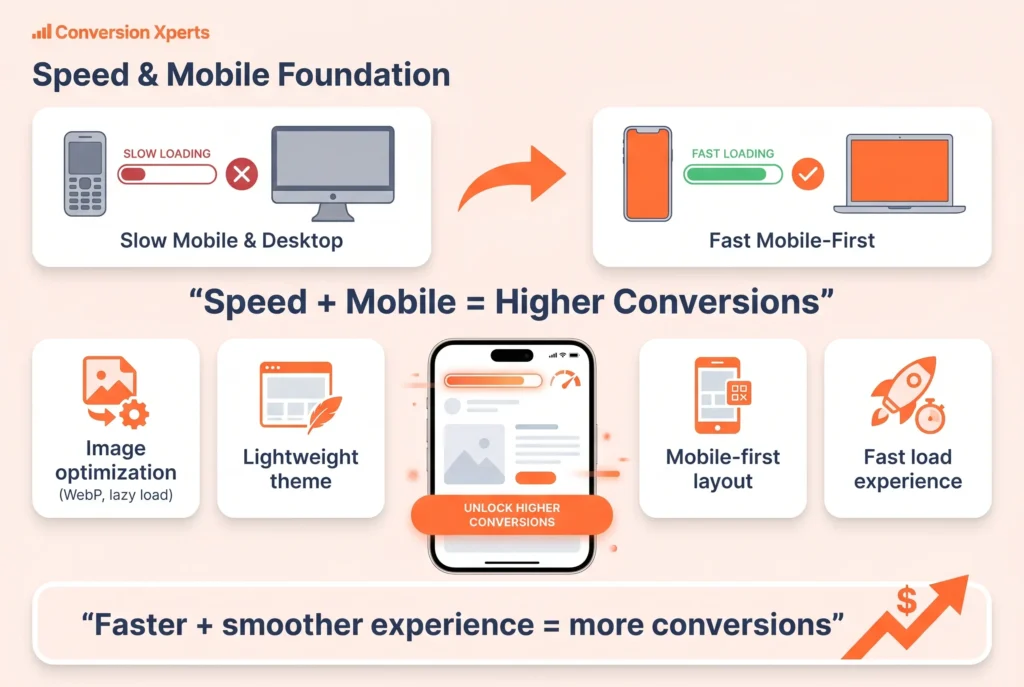
Site speed and mobile optimization are the foundation of every conversion rate improvement strategy. Everything else you do is built on top of this layer.
Compress and Optimize Every Image
Large, unoptimized images are the single most common reason Shopify stores load slowly. Switch all product and banner images to the WebP format, which delivers the same visual quality at roughly 30% smaller file sizes compared to JPEG or PNG. Use lazy loading so images below the fold only load when a user scrolls down to them. This dramatically reduces your initial page load time.
Shopify apps like TinyIMG or Crush.pics can automate this compression process across your entire catalog without any manual work.
Use a Lightweight, Fast Shopify Theme
Shopify 2.0 themes like Dawn are built for speed. They use optimized code structures and support lazy loading natively. If you are running an older theme with heavy custom scripts, consider switching. The performance gains translate directly into conversion rate improvements.
Avoid installing more than 10 to 12 apps on your store at any one time. Each app adds JavaScript to your pages, slowing them down. Audit your apps quarterly and remove anything you are not actively using.
Design for Mobile First, Not Desktop First
A responsive theme simply adjusts your desktop layout to fit a smaller screen. A genuinely mobile-first experience is designed around how people actually use their phones to shop.
Make your Add to Cart and Buy Now buttons large enough to tap with a thumb without zooming in. Use single-column layouts for checkout forms. Enable autofill for address and payment fields. Simplify your navigation menu with a clean hamburger-style design. Place your most important call-to-action above the fold so it is visible without scrolling.
Test your store yourself by going through a complete purchase on your own phone. This is the single most revealing 10 minutes you can spend on conversion rate optimization.
Implement Google Core Web Vitals
Google measures page experience through three key metrics: Largest Contentful Paint (LCP) which measures loading speed, First Input Delay (FID) which measures interactivity, and Cumulative Layout Shift (CLS) which measures visual stability. Stores that pass Core Web Vitals thresholds rank higher in search results and convert better because they deliver a smoother experience.
Use Google PageSpeed Insights or GTmetrix to check where your Shopify store currently stands and identify the specific fixes that will move the needle most.
How to Increase Conversion Rate for Shopify Through Product Page Optimization
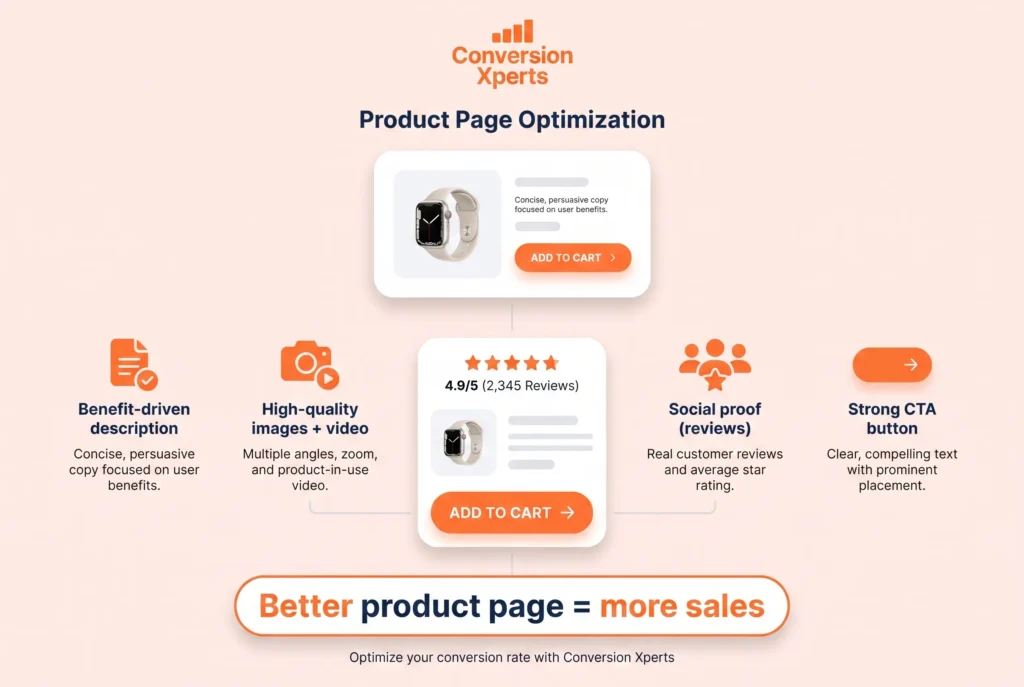
Your product page is where the buying decision actually happens. Every element on that page is either convincing a visitor to buy or giving them a reason to leave.
Write Product Descriptions That Sell, Not Just Describe
Most Shopify store owners write product descriptions that list features. Great descriptions sell outcomes. Instead of writing “Made from 100% cotton, available in 5 colors,” write “Wear this all-day comfort tee from the office to the gym, in a fabric so soft you’ll forget you’re wearing it.”
Focus on the benefits and the feeling the customer gets from owning the product. Address the most common questions and objections your buyers have before they even ask them. Use short paragraphs and bullet points so the description is easy to scan on mobile.
For stores selling in Pakistan and other international markets, make sure your descriptions account for local context. Mention local shipping times if applicable, pricing in local currency where possible, and any specific compatibility or sizing details relevant to your regional audience.
Use High-Quality, Multiple-Angle Product Photography
Online shoppers cannot hold your product. Photography is your substitute for the physical experience. Include at least five images per product: a clean white-background shot, two to three lifestyle shots showing the product in use, a close-up detail shot, and a size or scale reference image.
Where possible, add a short product video. Studies consistently show that video on product pages increases add-to-cart rates significantly. You do not need a professional production budget. A clean, well-lit 30-second walkthrough filmed on a smartphone can outperform a static image for many product categories.
Add Social Proof Directly on the Product Page
Reviews are not optional anymore. According to research, 51% of consumers expect personalized experiences and authentic feedback before purchasing from an unfamiliar brand. A product with zero reviews converts at a fraction of the rate of the same product with 25 genuine reviews.
Use Shopify apps like Loox, Judge.me, or Yotpo to collect and display photo reviews directly beneath your product description. Make getting reviews automatic by sending a follow-up email with a review request 7 to 10 days after delivery.
Optimize Your Call-to-Action Button
Your Add to Cart button needs to be visible, large, and above the fold on both desktop and mobile. Use a contrasting color that stands out from the rest of your page. Keep the text clear and action-oriented: “Add to Cart,” “Buy Now,” or “Get Yours Today” outperform generic text like “Submit” or “Continue.”
Do not put multiple competing CTAs on a single product page. One primary action, one clear button.
Building Trust Signals That Turn Hesitant Visitors into Confident Buyers
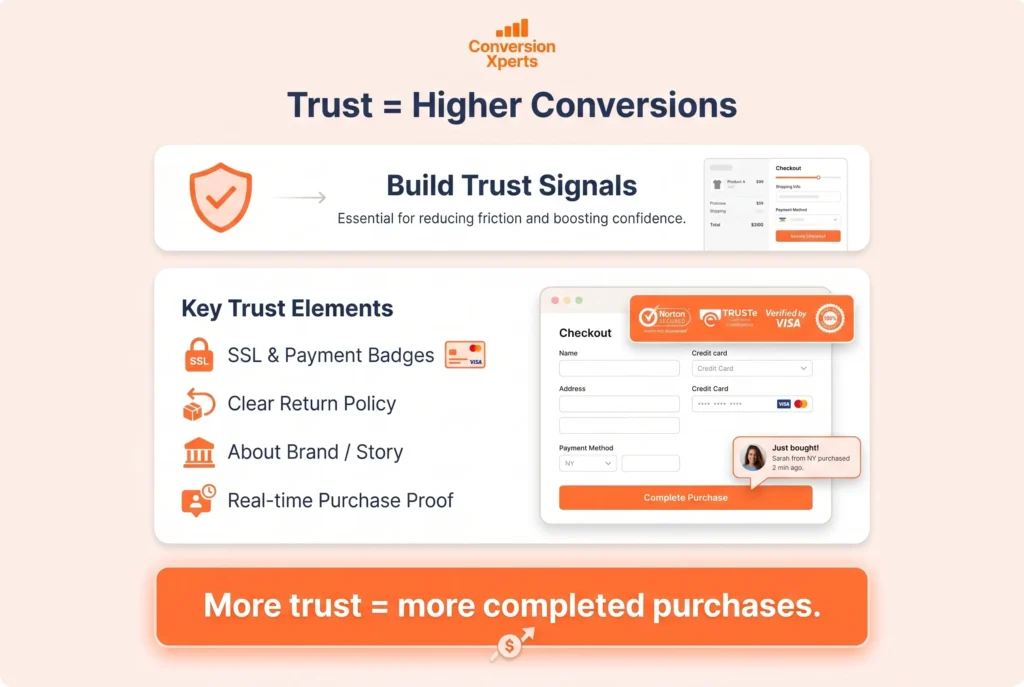
Trust is the invisible currency of ecommerce. Every purchase requires a buyer to take a leap of faith. Your job is to make that leap as small as possible.
Display SSL Security and Payment Badges
Your checkout page must use HTTPS with a valid SSL certificate. Beyond the technical requirement, display SSL trust badges prominently near your checkout button and payment fields. Show logos for accepted payment methods including Visa, Mastercard, PayPal, and where relevant for Pakistani and international audiences, JazzCash, Easypaisa, or Stripe.
For international customers, this visual confirmation that their payment details are protected is often the final nudge they need to complete a purchase.
Create a Clear, Generous Return Policy
According to a 2024 ecommerce study by Baymard Institute, unclear return policies are among the top five reasons for checkout abandonment globally. Write your return policy in plain language. Avoid legal jargon. Make it easy to find. A 30-day no-questions-asked return window, clearly stated on your product page and checkout page, directly reduces the perceived risk of buying.
Use an About Us Page That Builds Connection
Especially for new stores or stores competing in saturated markets, a genuine, personal About Us page builds the human connection that separates you from a faceless dropshipping operation. Share your founding story, your values, photos of your team, and why you care about the products you sell. International buyers and Pakistani consumers alike want to know they are buying from a real business with real people behind it.
Show Real-Time Social Proof Notifications
Apps like Sales Pop or Fomo display small notification banners showing recent purchases made by other customers. Seeing that “Ayesha from Lahore just purchased this item 10 minutes ago” or “Michael from Toronto just bought this” creates powerful social validation and adds urgency. This tactic works particularly well on product pages and the checkout page.
Checkout Optimization: The Final Frontier of Conversion Rate Improvement
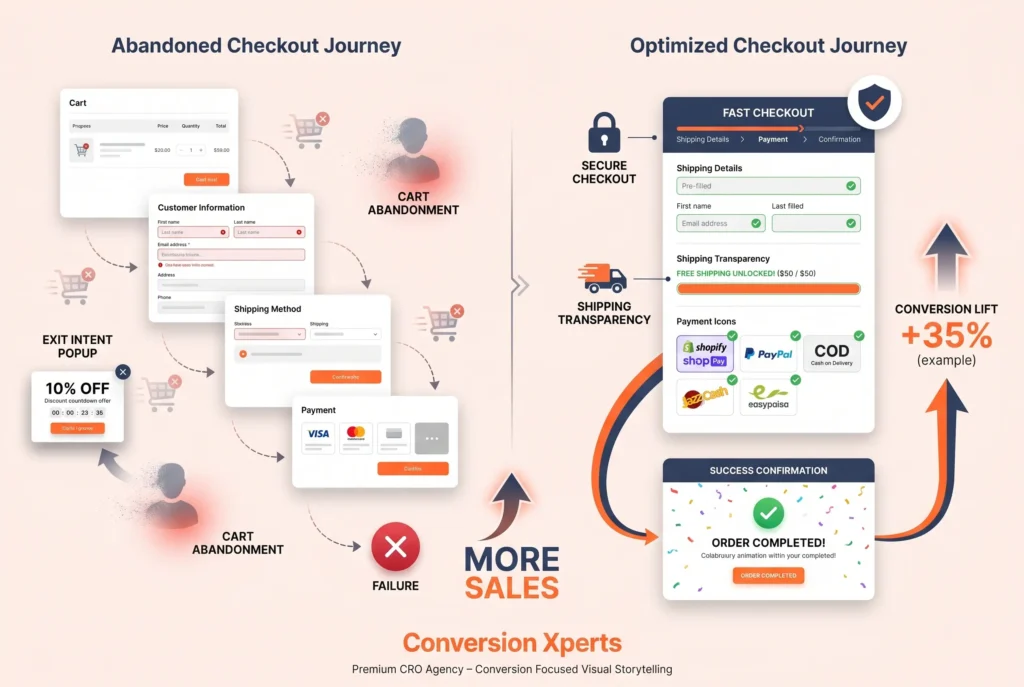
Your checkout page is where money either enters your account or disappears forever. According to research by Baymard Institute, the average cart abandonment rate globally is 70.19%. Fixing your checkout is the single highest-impact conversion rate action you can take.
Enable Shopify Shop Pay and Multiple Payment Options
Shopify’s Shop Pay feature converts up to 36% better than competitor checkouts, according to data published by Shopify. It stores customer information securely so repeat buyers can complete a purchase in a single click. With over 100 million users on the Shop Pay network, many of your customers will already have their details saved.
Beyond Shop Pay, offer PayPal as it remains the most trusted online payment brand globally. For your Pakistani audience specifically, offering Cash on Delivery, JazzCash, and Easypaisa integration can dramatically increase local conversion rates because a significant portion of Pakistani online shoppers still prefer COD or mobile wallet payments over international card transactions.
Simplify Your Checkout to as Few Steps as Possible
Every additional step in your checkout funnel creates another opportunity for abandonment. Shopify’s native one-page checkout, which became the default in 2024, consolidates address, shipping, and payment into a single page. Enable it if you have not already.
Remove unnecessary form fields. Do not ask for a phone number if you do not need it. Do not force account creation before purchase. Always offer guest checkout as an option.
Be Completely Transparent About Shipping Costs
Surprise shipping fees are the number one cause of cart abandonment globally. Show your shipping costs as early as possible, ideally on the product page or at the very start of checkout. If you offer free shipping above a threshold, display this prominently with a progress bar on the cart page. Something like “You are PKR 500 away from free shipping” is a powerful conversion tool.
Use Exit-Intent Popups on the Checkout Page
When a visitor moves their cursor toward the close button or the browser back button, an exit-intent popup can display a last-chance offer. A 10% discount, free shipping on this order, or a simple reminder of your return policy can recover a meaningful percentage of visitors who were about to leave. This is an especially effective tactic for first-time buyers who are on the fence.
Using Social Proof, Urgency, and Personalization to Boost Conversion Rate
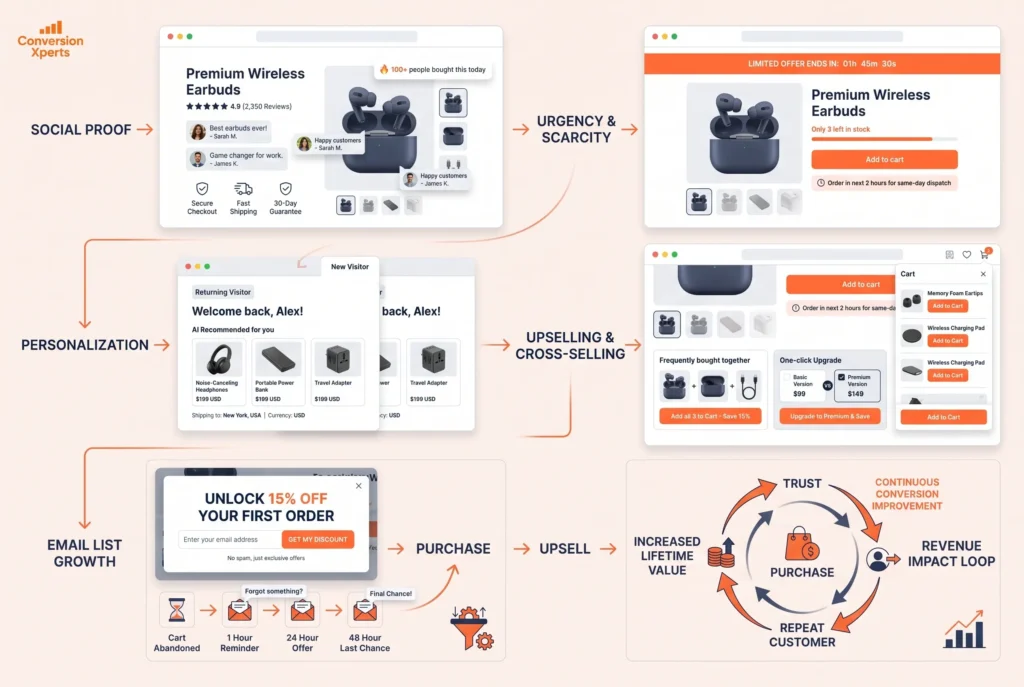
Once your technical foundation is solid and your trust signals are in place, layering in urgency, scarcity, and personalization moves your conversion rate into the excellent range.
Create Genuine Urgency and Scarcity
According to research by 2024 consumer behavior studies, 60% of consumers who feel concerned about missing out on an offer will make a purchase within 24 hours. This is the power of genuine urgency.
Show real low stock warnings: “Only 3 left in stock.” Display countdown timers for limited-time offers. Communicate when a sale ends. Use phrases like “Order in the next 2 hours for same-day dispatch.”
The key word here is genuine. Fake countdown timers that reset every day destroy trust the moment a savvy buyer notices. Only use urgency when it is real, and it will work powerfully for you.
Personalize the Shopping Experience
Around 51% of consumers expect their favorite brands to anticipate their needs and make relevant product suggestions, according to Toptal’s 2024 CRO research. Personalization can increase sales by up to 20% when done well.
Use Shopify apps with AI-powered recommendation engines to show customers products related to what they are currently viewing or what they have purchased before. On your homepage, display bestsellers differently for returning versus first-time visitors. Send personalized email campaigns with product recommendations based on browsing history.
For international stores targeting both global and Pakistani audiences, personalization also means showing prices in local currency, using familiar payment options, and displaying shipping times relevant to the buyer’s location.
Master Upselling and Cross-Selling
Upselling means encouraging a buyer to purchase a more premium version of what they are considering. Cross-selling means suggesting complementary products. Both tactics increase your average order value and your overall revenue without needing more traffic.
On your product pages, show a section labeled “Customers who bought this also bought” or “Complete the look.” At checkout, offer a one-click add-on at a discounted price. After purchase, send a post-order email with a special offer on a product that naturally pairs with what they just bought.
Shopify apps like ReConvert, Zipify One Click Upsell, and Bold Upsell make this straightforward to implement without any custom development.
Build and Nurture Your Email List
Email marketing delivers an average return of $42 for every $1 spent, according to 2024 data from Litmus. Your email list is a direct line to people who have already shown interest in your store, which means they convert at dramatically higher rates than cold traffic.
Use a well-timed popup offering a first-order discount in exchange for an email address. Segment your list by purchase behavior and browsing history. Send abandoned cart emails within one hour of abandonment, then a follow-up at 24 hours, and a final one at 48 hours with a small incentive. This three-email sequence alone can recover 15 to 20% of abandoned carts.
Shopify Apps and Tools That Directly Lift Your Conversion Rate
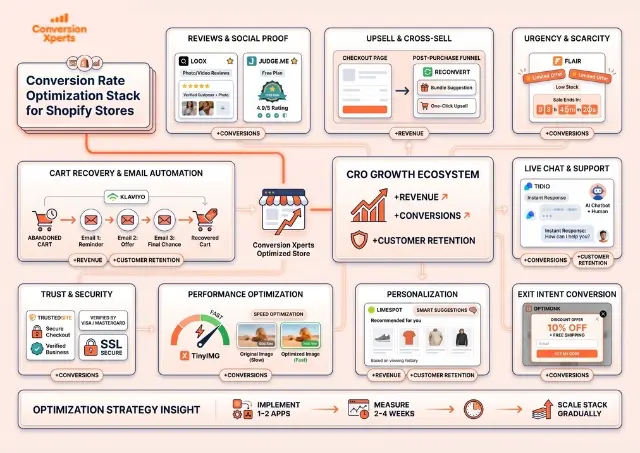
The right tools can accelerate your conversion rate optimization significantly. Here is a curated comparison of the most impactful apps across key categories:
| Category | App Name | Primary Benefit | Price Range |
| Reviews and Social Proof | Loox | Photo and video reviews with auto-request | From $9.99/mo |
| Reviews and Social Proof | Judge.me | Unlimited reviews, great free plan | Free to $15/mo |
| Upsell and Cross-Sell | ReConvert | Post-purchase upsell funnels | From $4.99/mo |
| Urgency and Scarcity | Flair | Product badges, countdown timers | From $8/mo |
| Cart Recovery | Klaviyo | Email and SMS automation | Free to $45/mo |
| Live Chat | Tidio | AI chatbot and human handoff | Free to $29/mo |
| Trust Badges | TrustedSite | Verified security badges | Free to $39/mo |
| Page Speed | TinyIMG | Automatic image compression | From $4.99/mo |
| Personalization | LimeSpot | AI product recommendations | From $18/mo |
| Exit Intent | OptiMonk | Exit-intent popups and campaigns | Free to $39/mo |
No single app will transform your conversion rate overnight. The best approach is to implement one or two at a time, measure the impact over 2 to 4 weeks, and then add the next layer. This way you know exactly which changes are working.