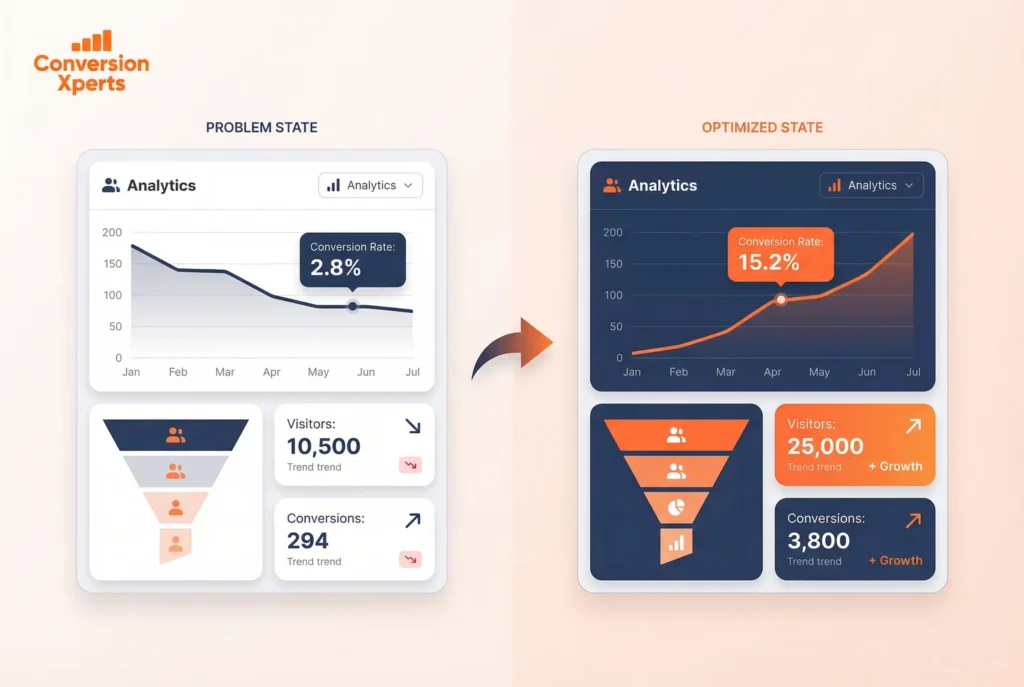
Ecommerce CRO Audit: The Ultimate Step-by-Step Guide (2026)
- Published by: Henry
- Last Updated: April 2026
Introduction
Did you know that the global average ecommerce conversion rate dropped to just 1.65% in 2024 — a 16.47% decline from the year before? That means for every 100 people who visit your online store, roughly 98 leave without buying anything.
If you’re spending money on ads, SEO, or social media and still seeing flat sales, the problem isn’t your traffic. It’s your website. That’s exactly where an ecommerce CRO audit comes in.
A CRO audit — short for Conversion Rate Optimization audit — is a systematic review of your entire online store to identify every obstacle, friction point, and missed opportunity that’s costing you revenue. Instead of guessing what to fix, you use real data and user behavior insights to make smart, high-impact changes.
In this guide you’ll learn:
- Exactly what an ecommerce CRO audit is and why your store needs one right now
- A proven, step-by-step audit process used by top agencies
- Page-by-page audit checklists for your homepage, product pages, and checkout
- The best tools to run your audit, including free options
- How to prioritize fixes and measure results after your audit
Whether you’re based in Pakistan, targeting global markets, or running a Shopify store, this guide gives you a complete, actionable roadmap to turn more visitors into buyers.
What Is Ecommerce Conversion Rate Optimization?
Ecommerce conversion rate optimization (CRO) is the systematic process of increasing the percentage of website visitors who complete a desired action — most importantly, making a purchase.
In plain terms: you already have traffic coming to your store. CRO is the discipline of making sure more of that traffic actually buys.
The ecommerce conversion rate formula is simple:
Conversion Rate = (Total Conversions ÷ Total Visitors) × 100
So if your store receives 10,000 visitors per month and 150 of them buy, your ecommerce conversion rate is 1.5%.
Why Ecommerce CRO Matters More Than Ever
Most store owners focus on getting more traffic — running ads, investing in SEO, posting on social media. But traffic without conversion is like water leaking through a bucket. Before you pour more in, you need to fix the holes.
Here’s why ecommerce conversion rate optimization deserves your attention in 2025:
- It’s more cost-effective than paid traffic. Doubling your conversion rate from 1.5% to 3% effectively doubles your revenue without spending a single extra rupee or dollar on ads.
- Customer acquisition costs are rising. According to a 2024 IRP Commerce analysis, the average cost per acquisition grew by 5.33% as ecommerce conversion rates fell. Optimizing your site is the most efficient counter-strategy.
- Competition is intensifying globally. With global ecommerce sales projected to reach $6.86 trillion in 2025, standing out requires a smoother, faster, more persuasive shopping experience.
Ecommerce CRO vs. SEO: What’s the Difference?
| Factor | SEO | Ecommerce CRO |
| Primary goal | Drive more visitors to your store | Convert existing visitors into buyers |
| Time to results | Weeks to months | Days to weeks |
| Cost | Medium to high | Low to medium |
| Focus area | Search rankings, keywords | User experience, checkout, trust |
| Revenue impact | Increases traffic volume | Increases revenue per visitor |
Both strategies are essential. But if your conversion rate is below 2%, fixing CRO issues will deliver faster ROI than any marketing campaign.
What Is an Ecommerce CRO Audit?
An ecommerce CRO audit is a detailed, data-driven evaluation of your online store designed to identify every barrier preventing visitors from converting into paying customers.
Think of it like a health check for your store. Just as a doctor orders tests before prescribing treatment, a CRO audit runs diagnostics across your entire customer journey — from the moment someone lands on your homepage to the second they click “Complete Purchase” (or, more often, abandon the cart).
The audit covers:
- Website design and layout
- Page load speed and technical performance
- User experience (UX) across desktop and mobile
- Product page effectiveness
- Checkout friction and trust signals
- Analytics data and user behavior patterns
What a CRO Audit Is NOT
A CRO audit is not randomly changing button colors or guessing at improvements based on what looks nice. It’s a structured, evidence-based process that combines:
- Quantitative data — the numbers (bounce rates, drop-off points, heatmaps)
- Qualitative research — the “why” behind the numbers (session recordings, surveys, exit polls)
- Technical performance — the infrastructure that affects user experience (site speed, mobile responsiveness, broken elements)
Miss any one of these three pillars and your audit will be incomplete — and your fixes will underperform.
When Should You Run an Ecommerce CRO Audit?
A CRO audit is the right move when:
- You get good traffic but struggle to convert visitors into customers
- You’ve recently redesigned your website or added new features
- Your bounce rate is unusually high or has increased recently
- Your cart abandonment rate exceeds 70% (the global average, per Baymard Institute’s 2024 analysis of 49 studies)
- You haven’t reviewed your UX and checkout flow in six months or more
According to Shopify, ecommerce stores should conduct a CRO audit at least every six months — or immediately after any major site change.
Ecommerce Conversion Rate Benchmarks You Need to Know
Before you can improve your ecommerce conversion rate, you need to know where you stand. Here are the most important benchmarks from 2024–2025.
Global Average Ecommerce Conversion Rates
- Global average (all industries): 1.65% in 2024 (IRP Commerce data, 2024)
- Shopify stores average: 2.5%–3% (Shopify Research, 2024)
- Top-performing stores (top 10%): 4.7% or higher
- Amazon: 10–13% (driven by one-click checkout, Prime, and deep trust)
- Q3 2025 average: approximately 1.8% (weDevs aggregated data)
Ecommerce Conversion Rate by Industry (2024)
| Industry | Average Conversion Rate |
| Arts & Crafts | 5.11% |
| Food & Beverage | ~4–6% |
| Health & Beauty | ~3–4% |
| Fashion & Apparel | ~2–3% |
| Electronics | ~1.5–2% |
| Luxury Goods | ~1.4% |
| Baby & Child Products | 0.70% |
Source: IRP Commerce, Statista, Salesforce Research (2024)
Ecommerce Conversion Rate by Region (2024)
| Region | Average Conversion Rate |
| United Kingdom | 4.1% |
| Americas | 3.14% |
| United States | 2.06–2.3% |
| Germany | 2.22% |
| Global Average | 1.65% |
| Italy | 0.99% |
Source: IRP Commerce, Amasty (2024)
What This Means For Your Business
If your store is converting below 1.5%, you almost certainly have significant, fixable issues. If you’re between 1.5% and 2.5%, you’re at or below average — there’s substantial room to grow. If you’re above 3%, you’re performing well, but there’s still revenue left on the table.
The goal of your ecommerce CRO audit is to find exactly what’s holding your store back from the next benchmark tier.
The 7-Step Ecommerce CRO Audit Process
This is the same framework used by leading CRO agencies to audit client stores. Follow it in order — each step builds on the one before.
Step 1: Verify and Set Up Your Analytics Tracking
Before analyzing any data, confirm that your tracking is accurate. Audits built on bad data produce bad recommendations.
Start with Google Analytics 4 (GA4). Out of the box, GA4 tracks basic pageviews, but for ecommerce you need to verify that these four key shopping events are firing correctly:
- view_item — triggers when a visitor lands on a product page
- add_to_cart — triggers when they click “Add to Cart”
- begin_checkout — triggers when checkout starts
- purchase — triggers when an order is completed
Test this yourself: go through your own checkout process and watch the events appear in real-time in GA4’s Debug View. If they’re not showing up, fix your tracking setup before doing anything else. Every other step in your audit depends on clean data.
Also confirm that GA4 is measuring:
- Sessions with product page views
- Cart-to-checkout conversion rate
- Checkout-to-purchase conversion rate
- Traffic source and channel data
Step 2: Map Your Conversion Funnel and Find Drop-Off Points
A conversion funnel is the path a visitor takes from first arriving at your store to completing a purchase. Your job in this step is to trace that path and find where the biggest leaks are.
In GA4, use the Funnel Exploration report to build a custom funnel with these stages:
- Session start → Homepage view
- Homepage → Category/Collection page
- Category → Product page view
- Product page → Add to cart
- Add to cart → Begin checkout
- Begin checkout → Purchase
Look for stages where the drop-off is highest. If 60% of users leave between the product page and cart, your product pages have a problem. If 70% abandon between checkout start and purchase, your checkout is the bottleneck.
Note your funnel-level benchmarks:
- Cart abandonment rate: Average of 70.19% globally (Baymard Institute, 2024)
- Checkout abandonment: Typically 25–35% of those who reach checkout
- A sudden drop between any two stages signals a specific friction point to investigate
Step 3: Gather Qualitative Data — Find the “Why”
Numbers tell you where people drop off. Qualitative tools tell you why.
Heatmap Analysis
Heatmaps show where visitors click, scroll, and hover on your pages. Set them up on your highest-traffic pages: homepage, best-selling product pages, and checkout. Look for:
- Rage clicks (users clicking something that isn’t clickable, usually a frustrated response)
- Dead zones (areas of the page nobody reaches by scrolling)
- Click distribution on product pages — are visitors clicking the main CTA or getting distracted?
Session Recordings
Watch recordings of real user sessions, especially those that started checkout but didn’t complete it. You’ll often spot issues in 10–20 recordings that would take weeks to find in data alone — confusing navigation, error messages on forms, fields that won’t accept valid input, or simply a CTA button that’s too hard to find.
Exit Surveys and On-Page Polls
Ask users directly. A simple exit-intent popup with one question — “What stopped you from completing your purchase today?” — consistently surfaces your highest-value insights. Common answers include unexpected shipping costs, lack of trust signals, inability to find the right size/variant, or a preferred payment method not being available.
Step 4: Conduct a Page-by-Page UX Audit
Now that you have both quantitative and qualitative data, systematically review each key page type. We cover this in detail in Section 5.
Step 5: Run a Technical Performance Audit
Site speed is one of the most direct influences on ecommerce conversion rates. According to data cited by Blend Commerce in 2025, a page loading in 2.4 seconds versus 5.7 seconds more than triples conversion rate. Every 100ms of improvement nudges conversions up by approximately 1%.
Run your store through these tools:
- Google PageSpeed Insights — measures Core Web Vitals (LCP, FID, CLS)
- GTmetrix — detailed waterfall charts showing what’s slowing your pages
- Google’s Mobile-Friendly Test — confirms your mobile experience is acceptable
Key benchmarks to target:
- Largest Contentful Paint (LCP): Under 2.5 seconds
- First Input Delay (FID): Under 100ms
- Cumulative Layout Shift (CLS): Under 0.1
- Mobile PageSpeed score: 70+ (ideally 80+)
Also check:
- Are third-party scripts (chat widgets, analytics tags, social pixels) slowing your pages?
- Are images optimized in modern formats like WebP?
- Is lazy loading enabled for below-the-fold images?
- Is your store fully functional on both iOS and Android?
Note: mobile devices account for roughly 73% of ecommerce traffic in 2025, but desktop users still convert at a higher rate. A poor mobile experience is a direct revenue drain.
Step 6: Evaluate Trust Signals and Social Proof
Trust is the #1 conversion factor in ecommerce. According to a 2024 survey, 88% of consumers say their willingness to share personal information — including payment details — is based on how much they trust a brand.
During your audit, evaluate the trust architecture of your store:
- Are SSL certificates visible (HTTPS padlock)?
- Are payment security badges (Visa, Mastercard, PayPal, local payment options) displayed near the checkout button?
- Do you have customer reviews on product pages? Are they recent and verified?
- Is your return and refund policy easy to find and clearly written?
- Do you have a visible phone number or live chat for support?
- Are user-generated photos or video testimonials present?
For stores targeting Pakistan and other South Asian markets specifically, adding local payment options (JazzCash, Easypaisa, bank transfer) and displaying prices in PKR significantly reduces checkout abandonment. Trust signals must match your audience’s cultural and market-specific expectations.
Step 7: Score Issues and Build a Prioritized Roadmap
After completing your audit, you’ll have a list of issues. The challenge is knowing which to fix first.
Use the ICE scoring framework:
| Issue | Impact (1–10) | Confidence (1–10) | Ease (1–10) | ICE Score |
| Checkout requires account creation | 9 | 9 | 8 | 26 |
| Product images too small on mobile | 8 | 8 | 7 | 23 |
| No trust badges near checkout | 7 | 9 | 9 | 25 |
| Slow homepage load (4.2s) | 8 | 10 | 6 | 24 |
| Missing return policy on product page | 6 | 8 | 9 | 23 |
- Impact: How much will fixing this move your conversion rate?
- Confidence: How certain are you this is actually a problem (based on your audit data)?
- Ease: How quickly and easily can this be implemented?
Fix the highest-scoring items first. Quick wins in weeks 1–2 build momentum and may fund resources for more complex changes.
Page-by-Page CRO Audit Checklist
Every page type in your store serves a different role in the buyer journey. Here’s what to audit on each.
Homepage CRO Audit
The homepage’s job is to establish immediate trust, communicate your value proposition, and push visitors toward the next step — not to close a sale directly.
Audit checklist:
- [ ] Is there a clear, above-the-fold headline that communicates what you sell and why it’s different?
- [ ] Is the primary CTA button (e.g., “Shop Now,” “Browse Collections”) visible without scrolling?
- [ ] Does the page load in under 3 seconds on mobile?
- [ ] Is the navigation simple and logical, with a maximum of 5–7 top-level categories?
- [ ] Are trust indicators visible (reviews, “As Seen In,” certifications)?
- [ ] Is there a search bar that’s easy to find?
- [ ] Are promotions or free shipping thresholds immediately visible?
- [ ] Does the hero image/video clearly show products in context?
Product Page CRO Audit
Product pages are where conversion decisions are made. Most stores underinvest here and overpay on traffic as a result.
Audit checklist:
- [ ] Are product images high-resolution, with zoom functionality and multiple angles?
- [ ] Is a video demo or lifestyle image included?
- [ ] Is the “Add to Cart” button above the fold on both desktop and mobile?
- [ ] Is the price displayed clearly, including any sale pricing?
- [ ] Are product reviews displayed prominently, with ratings, reviewer names, and dates?
- [ ] Is the return policy visible directly on the product page (not hidden in the footer)?
- [ ] Are stock levels shown (e.g., “Only 3 left”)?
- [ ] Is shipping estimate/timeframe visible before checkout?
- [ ] Is the product description benefit-focused, not just feature lists?
- [ ] Are size charts, compatibility notes, or variant selectors clear?
Cart and Checkout Page CRO Audit
This is where 70% of your potential customers leave. The checkout flow deserves your most intensive attention.
Audit checklist:
- [ ] Is there a guest checkout option? (Forcing account creation is one of the top reasons for cart abandonment)
- [ ] Are trust badges (SSL, payment logos, money-back guarantee) visible near the payment section?
- [ ] Is the total cost — including shipping and taxes — shown before the final payment step?
- [ ] Is the checkout process 3 steps or fewer?
- [ ] Are multiple payment methods available (credit card, PayPal, local options)?
- [ ] Is the checkout form auto-filling correctly on mobile?
- [ ] Are error messages specific and helpful (not generic “invalid entry”)?
- [ ] Is there a cart abandonment email sequence set up for users who provide their email but don’t complete purchase?
- [ ] Are upsell/cross-sell items present in the cart without being distracting?
- [ ] Is there a visible security message or guarantee (e.g., “Your data is 100% secure”)?
Mobile Experience CRO Audit
Given that mobile drives over 73% of ecommerce traffic in 2025, a mobile-specific audit is non-negotiable.
Audit checklist:
- [ ] Are all CTA buttons at least 44×44 pixels (thumb-friendly)?
- [ ] Is the navigation accessible via a clean hamburger menu or bottom nav?
- [ ] Do product images load quickly and display correctly?
- [ ] Is the checkout form easy to fill on a small screen (minimal typing required)?
- [ ] Is payment via Apple Pay, Google Pay, or local digital wallets available?
- [ ] Does the page pass Google’s Mobile-Friendly Test?
- [ ] Are popups or overlays dismissible on mobile without accidentally triggering them?
Best Tools for Your Ecommerce CRO Audit
You don’t need expensive software to run a thorough ecommerce CRO audit. Here are the most effective tools by category.
Analytics Tools
| Tool | Cost | Primary Use |
| Google Analytics 4 (GA4) | Free | Funnel analysis, traffic sources, event tracking |
| Google Search Console | Free | Organic search performance, page indexing |
| Shopify Analytics | Included in Shopify | Sales, conversion, and cart data for Shopify stores |
| Mixpanel | Freemium | Advanced event-based funnel analysis |
Heatmap and Session Recording Tools
| Tool | Cost | Primary Use |
| Microsoft Clarity | Free | Heatmaps, session recordings, rage-click detection |
| Hotjar | Freemium | Heatmaps, recordings, on-page surveys |
| Lucky Orange | Paid | Funnel visualization + live chat combo |
Technical Performance Tools
| Tool | Cost | Primary Use |
| Google PageSpeed Insights | Free | Core Web Vitals, speed recommendations |
| GTmetrix | Freemium | Waterfall analysis, detailed performance reports |
| WebPageTest | Free | Advanced technical performance testing |
A/B Testing Tools
| Tool | Cost | Best For |
| Google Optimize (discontinued — use VWO or Optimizely) | Paid | Enterprise A/B testing |
| VWO | Paid | Full-featured A/B and multivariate testing |
| AB Tasty | Paid | Ecommerce-specific experimentation |
| Intelligems | Paid (Shopify) | Shopify-native A/B testing for pricing and UX |
Pro tip: If you’re just starting out, Microsoft Clarity (free) + GA4 (free) gives you enough data to complete a thorough initial audit and identify your highest-priority fixes.
How to Prioritize Fixes and Run A/B Tests After Your Audit
Focus on Quick Wins First
After your ecommerce CRO audit, you’ll have a prioritized list of issues. In weeks 1–2, focus on items that are high-impact, high-confidence, and easy to implement:
- Add guest checkout if you don’t have it
- Add trust badges near the payment button
- Include return policy text directly on product pages
- Improve product images (add more angles, zoom, or video)
- Display shipping costs earlier in the purchase flow
These changes require minimal development resources but consistently deliver measurable lifts in ecommerce conversion.
Running Effective A/B Tests
For bigger changes — like redesigning your product page layout, testing a new checkout flow, or changing your pricing display — run controlled A/B tests rather than deploying changes blindly.
Key rules for valid A/B testing:
- Test one change at a time to isolate the cause of any improvement
- Run tests for at least 2 full weeks to account for day-of-week variation
- Achieve statistical significance of at least 95% before declaring a winner
- Start with your highest-traffic pages — you need enough volume to reach significance quickly
For a 2% baseline conversion rate, you typically need approximately 50,000 visitors per variant to achieve statistically significant results. If your traffic is lower than this, focus on qualitative fixes and measure uplift over time rather than running A/B tests.
Tracking CRO Progress Over Time
After implementing changes, monitor these core metrics weekly:
- Overall ecommerce conversion rate (your primary KPI)
- Add-to-cart rate (measures product page effectiveness)
- Cart abandonment rate (measures checkout friction)
- Average order value (AOV) — a 2024 global average was $144.57 (Oberlo, 2024)
- Revenue per visitor (RPV) — the single metric that captures both conversion and AOV together
CRO is not a one-time project. It’s an ongoing discipline. A 5% improvement this month combined with a 3% improvement the next month compounds into transformative revenue growth. As BlueTuskr’s ecommerce CRO framework emphasizes, the best-performing stores treat optimization as a continuous cycle — audit, fix, test, measure, repeat.
What Results Can You Expect?
Based on structured CRO programs running across multiple Shopify Plus stores, individual winning A/B tests have generated between $6,000 and $386,000 in additional monthly revenue. A structured program running 2–3 tests per month can realistically target a 15–30% cumulative revenue lift within the first year — without increasing ad spend by a single dollar.
FAQ: People Also Ask About Ecommerce CRO Audits
What is an ecommerce CRO audit?
An ecommerce CRO audit is a systematic evaluation of your online store to identify why visitors aren’t converting into customers. It analyzes user behavior, site speed, UX design, and checkout friction using tools like GA4 and heatmaps. The goal is a clear, prioritized roadmap to increase your ecommerce conversion rate without increasing ad spend.
What is a good ecommerce conversion rate?
A good ecommerce conversion rate is generally 2%–4% for most industries. The global average is approximately 1.65% in 2024 (IRP Commerce). If your store exceeds 3%, you’re performing above average. Top Shopify Plus merchants regularly achieve 4–5% through ongoing CRO work. Benchmarks vary by industry — arts and crafts average 5.11%, while luxury goods average just 1.4%.
How do you calculate ecommerce conversion rate?
Your ecommerce conversion rate equals total purchases divided by total visitors, multiplied by 100. For example, if your store gets 5,000 visitors and 75 purchase, your conversion rate is 1.5%. Track this in GA4’s ecommerce reports or your platform’s native analytics (Shopify, WooCommerce, Magento).
How often should you run an ecommerce CRO audit?
Run an ecommerce CRO audit at least every six months, according to Shopify. Also conduct one immediately after major changes — redesigns, new feature launches, or a sudden traffic spike or drop. For high-traffic stores, quarterly audits are recommended. Treat your audit as a living process, not a one-time project.
What are the most common reasons for low ecommerce conversion rates?
The most common conversion killers are: unexpected shipping costs or fees at checkout, a forced account-creation requirement, slow page load speed (especially on mobile), missing trust signals like reviews and security badges, poor product page content (no videos, few images), and a complicated checkout process with too many steps. Most of these are fixable within days with the right audit.
What tools do I need for an ecommerce CRO audit?
You can run a thorough ecommerce CRO audit using mostly free tools: Google Analytics 4 for funnel data, Microsoft Clarity for heatmaps and session recordings, Google PageSpeed Insights for technical performance, and Google Search Console for SEO-related insight. Paid tools like Hotjar, VWO, and Intelligems add depth — but are not required to identify your most impactful conversion issues.
What is the average cart abandonment rate in ecommerce?
The global average cart abandonment rate is 70.19%, based on Baymard Institute’s comprehensive analysis of 49 studies (2024). The top reasons shoppers abandon carts are unexpected extra costs (especially shipping), being forced to create an account, a complicated or lengthy checkout, and concerns about payment security. A CRO audit will pinpoint your specific abandonment drivers.
Can a CRO audit help a Pakistani ecommerce store compete globally?
Absolutely. A CRO audit is platform- and geography-agnostic — the underlying principles of trust, speed, clear CTAs, and frictionless checkout apply everywhere. For Pakistani stores specifically, adding local payment options (JazzCash, Easypaisa), displaying PKR pricing, providing COD (cash on delivery), and featuring local trust signals dramatically improves domestic conversion. For global expansion, the same audit framework reveals what international buyers need to convert.
Conclusion
An ecommerce CRO audit is the most direct path to increasing revenue without increasing your marketing budget. You already have traffic. The question is: are you converting as much of it as possible?
The three most important takeaways from this guide:
- Start with data, not assumptions. Use GA4 to map your conversion funnel, identify your biggest drop-off points, and validate your fixes with real numbers — not opinions about what looks good.
- Fix checkout friction first. With a 70.19% global cart abandonment rate, the checkout stage is where most stores lose the most money. Guest checkout, transparent pricing, and visible trust signals are non-negotiable.
- CRO is an ongoing process, not a one-time task. The most successful ecommerce stores run a continuous cycle: audit, prioritize, fix, test, and measure. Every incremental improvement compounds into significant long-term revenue growth.
Ready to find out what’s costing your store conversions right now? Start your ecommerce CRO audit today — and if you’d like professional help identifying and fixing your biggest conversion leaks, reach out for a free store audit consultation.